Playground
The Playground is an interactive page for testing the API directly from the browser.
What you can do
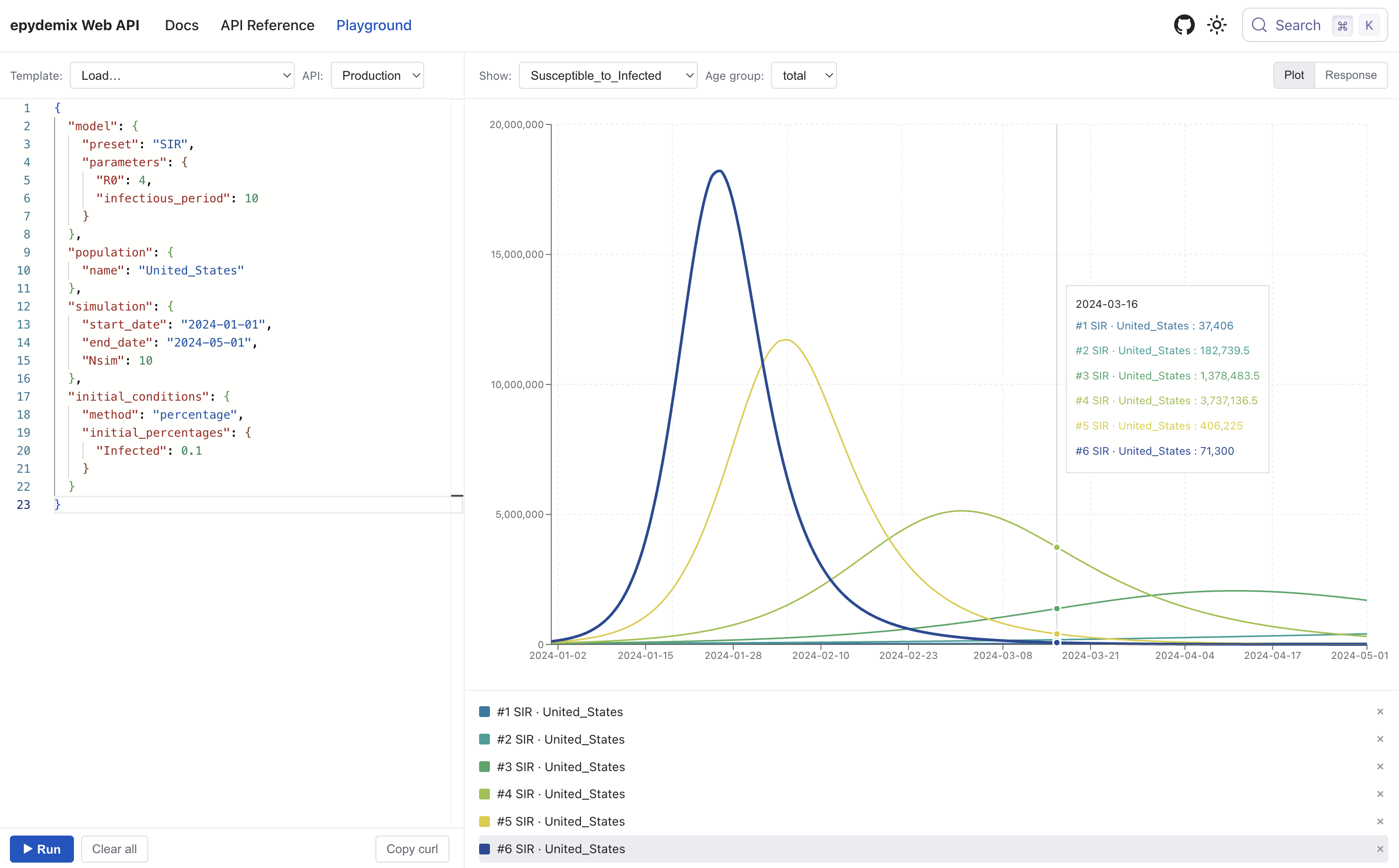
- Write a simulation request in JSON or load one from preset templates
- Send the request to the API, and see the results in the preview pane
- View results as a time-series plot, switching compartments, transitions, age groups, and parameters
- Compare multiple runs (with different parameters or presets) by overlaying their plots
- Inspect and download the raw JSON response
- Copy the equivalent
curlcommand to reproduce the request outside the playground
When to use it
- Exploring the request shape before wiring up a client
- Iterating on parameters, dates, or
outputfilters and seeing the effect immediately - Sanity-checking a custom model or population against a known preset
- Confirming the effect of parameter transformations such as seasonality, scaling, or overrides
Open the playground
Click on Playground in the top navigation bar.
tip
For programmatic use, see Running a Simulation for the full request and response shape, and the API Reference for an interactive request builder.